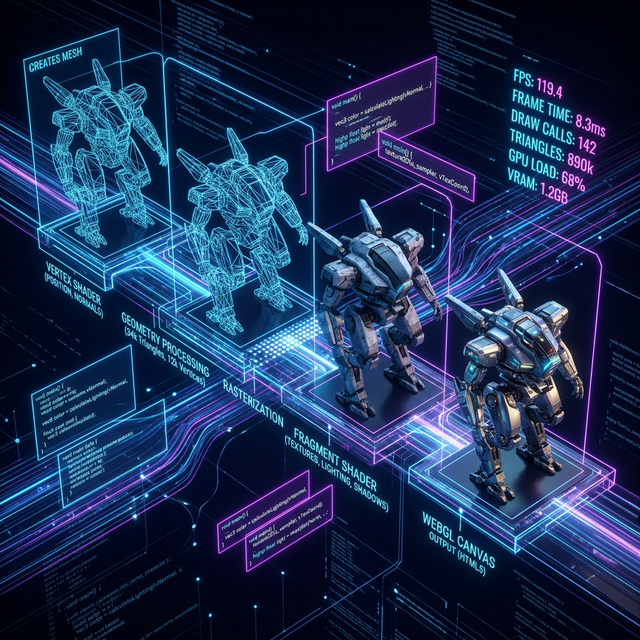
Performance is the invisible architecture of great web design. A stunning 3D landing page that takes 8 seconds to load will lose 53% of mobile visitors before they even see the first frame. At our studio, every immersive project begins with a performance budget, and the 3D design must work within those constraints, not the other way around.
The Performance Budget Framework
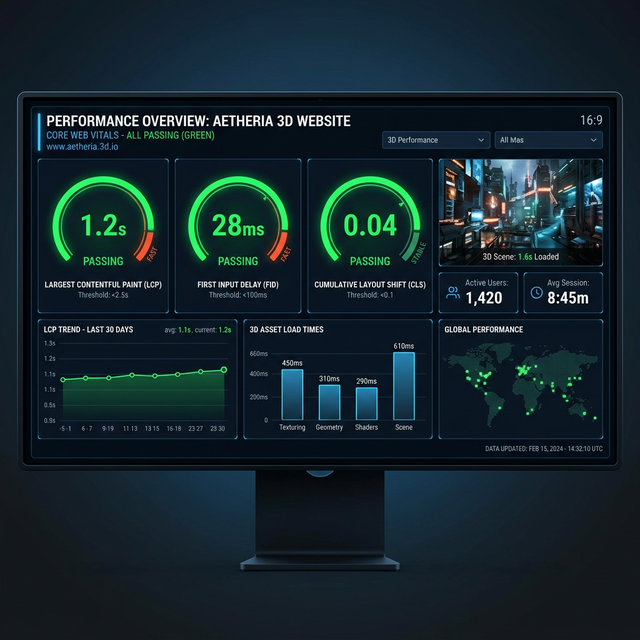
Before writing a single line of code, we establish hard limits: Largest Contentful Paint (LCP) under 2.5 seconds, First Input Delay (FID) under 100ms, and Cumulative Layout Shift (CLS) under 0.1. These aren't aspirational goals. They're non-negotiable constraints that shape every technical decision.
3D Asset Pipeline Optimization
The asset pipeline is where most 3D web projects fail or succeed. Raw Blender exports can easily be 50MB+ for a single scene. Our pipeline compresses this to under 500KB through a systematic process.
- ●Model optimization: Decimate meshes to reduce polygon count by 80% without visible quality loss
- ●DRACO compression: Compress GLTF geometry data for 90%+ size reduction
- ●Texture atlasing: Combine multiple textures into a single atlas to reduce draw calls
- ●KTX2/Basis Universal: GPU-compressed textures that are 6-8x smaller than PNG/JPEG
- ●LOD (Level of Detail): Swap to lower-poly models as objects move further from camera
Lazy Loading Architecture
Not every 3D element needs to load upfront. We use a progressive loading strategy: the initial page load includes only the critical path (hero text, navigation, and a lightweight placeholder for the 3D scene). The actual WebGL canvas initializes after the page is interactive, and 3D assets load on a priority queue based on viewport proximity.
This approach means the page is usable within 1.5 seconds, even on 3G connections. The 3D scene progressively enhances the experience as assets load in the background, with smooth fade-in transitions that feel intentional rather than janky.
Shader Optimization Techniques
Custom shaders are what differentiate a generic 3D scene from a memorable one. However, complex fragment shaders can tank frame rates on mobile GPUs. We use several techniques to keep shader performance high: branching reduction, texture lookups over computation, half-precision floats where possible, and always testing on real low-end devices before deployment.
"If it doesn't run at 60fps on a two-year-old Android phone, it's not optimized. It's just a demo. Production-quality 3D web design means performance on every device your users actually own."
Priyansh Tyagi
Deployment and Monitoring
We deploy to CDN-backed platforms like Vercel or Netlify for global edge distribution. After launch, we monitor real-user performance data through tools like Google Lighthouse CI and Web Vitals reporting. Any regression in performance metrics triggers an immediate review and optimization pass.
Building high-performance 3D web experiences is an engineering discipline as much as a creative one. The best immersive websites are those where the technology is invisible. The user simply has a remarkable experience, unaware of the thousands of optimization decisions that made it possible.